Transportation report builder
Microsoft Word add-in for railway crossing assessments
- Role
- Product & UX Lead
- Duration
- Multi-phase, from design through delivery
- Product
- Embedded reporting tool (Microsoft Word add-in)
- Focus
- Workflow efficiency, reporting consistency, AI-assisted documentation
Overview
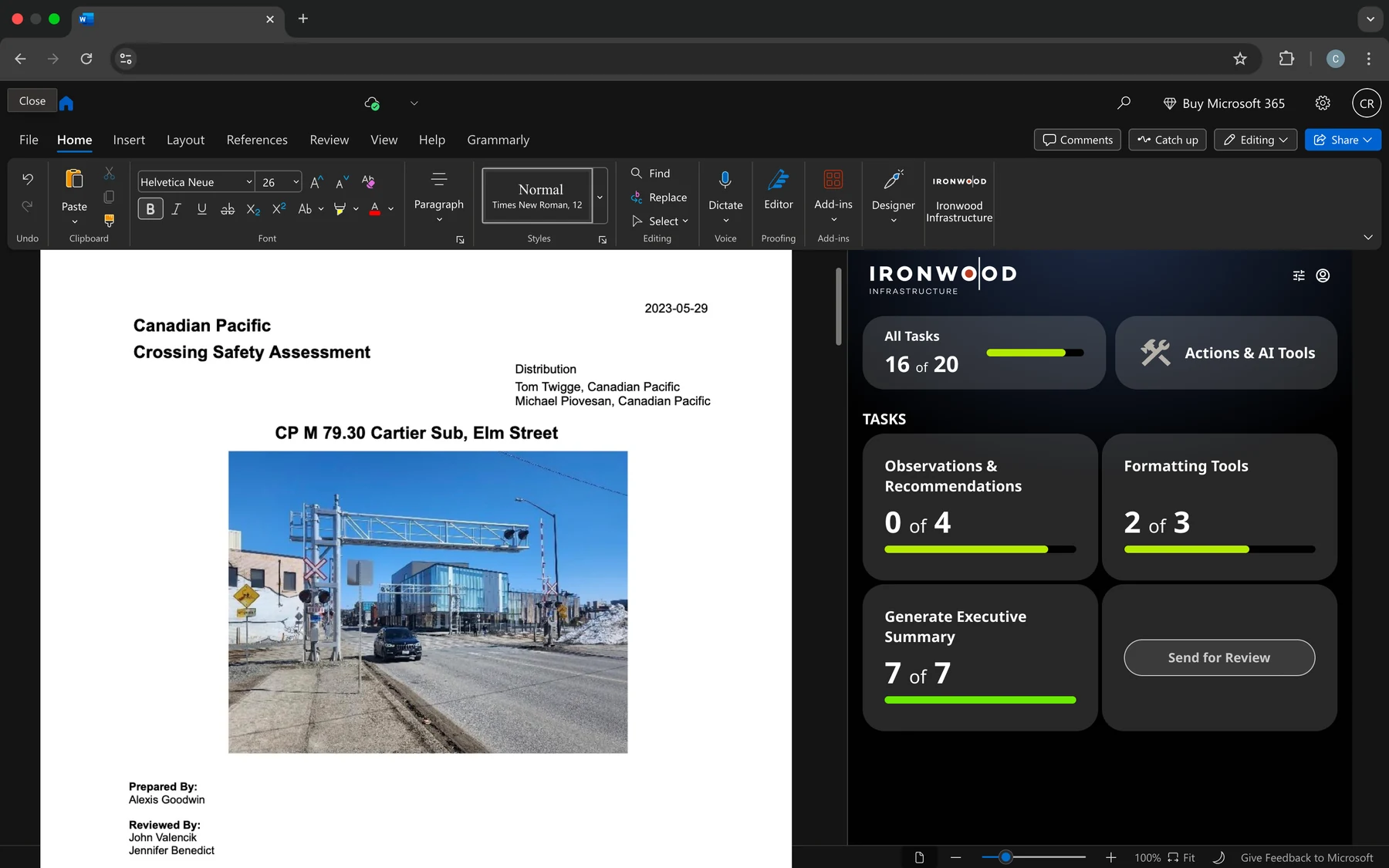
The transportation report builder is a custom add-in that runs inside Microsoft Word. Transportation consultants use it when they assess railway crossings for municipalities and rail operators.
It reads the structured survey data field staff have entered into the document and turns it into a consistent technical report that is ready for review. The aim was less manual work, more consistent reports and shorter review cycles, without asking anyone to learn a new tool.
Problem
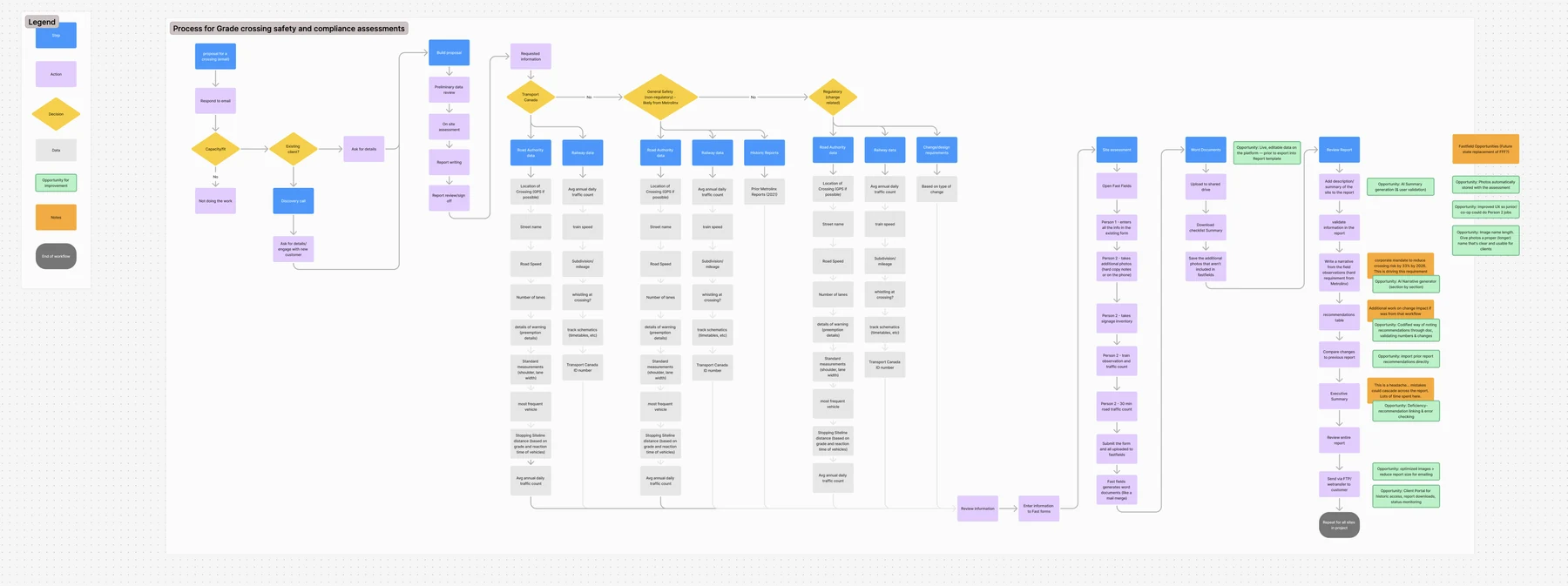
Crossing assessments follow a standard structure, but writing them up was slow and error-prone:
- Survey data was collected consistently, but every report was assembled by hand
- Formatting, terminology and references varied from report to report
- Senior reviewers could not see how complete a report was
- Summaries and recommendations were rewritten over and over
The client first hired us for a small exploratory project, to find out whether a companion tool inside Word could make reports faster and better. Once the value was clear, the work grew quickly.
Key decision
I designed the tool to live inside the document, not beside it.
The alternative was a separate system. I chose to build on the Word documents the consultants already used, and designed directly against real client templates and past reports. Nobody had to change how they worked.
Approach
The principles I worked to:
- Design against real client templates and historical reports
- Keep the existing Word-based workflow
- Keep the interface small and the thinking light
- Treat automation as an assistant, not an author
Design and development ran in short rounds alongside the in-house engineers, so we knew each idea was possible within the limits of a Word add-in.
Solution
We delivered a companion app inside Word that reads the report as it is written and adds to it.
Structured data awareness
- Reads predefined templates and survey fields
- Maps survey inputs straight to report sections
- Flags missing or incomplete information where it occurs
AI-assisted reporting
- Drafts section overviews, summaries and recommendations
- Works from the survey data, and the user keeps editorial control
Consistency and quality controls
- Enforces standard terminology and phrasing
- Keeps footnotes and references in one place
- Applies the same formatting to every report
Progress and review visibility
- A completion checklist for each section
- Clear status for reviewers and approvers
- Less back-and-forth during QA and sign-off
Outcome
- A small design engagement grew into a full product partnership
- The tool is now a core part of how the client produces reports
- Reports take less time to assemble
- Fewer formatting and consistency problems reach review
- Surveyors and approvers each know what is theirs to do
Discuss this case study with you?
I'd be happy to walk through this project in more detail and discuss how this approach might apply to your needs.